

By The Tech Guy
Welcome, tech enthusiasts and productivity wizards! Today, we’re diving into the world of immersive displays with the Dell 34″ WQHD Curved USB-C Monitor (S3423DWC). Whether you’re decking out your home office or leveling up your gaming setup, this monitor promises to exceed your expectations. Let’s find out if it lives up to the hype!
The Recommendations
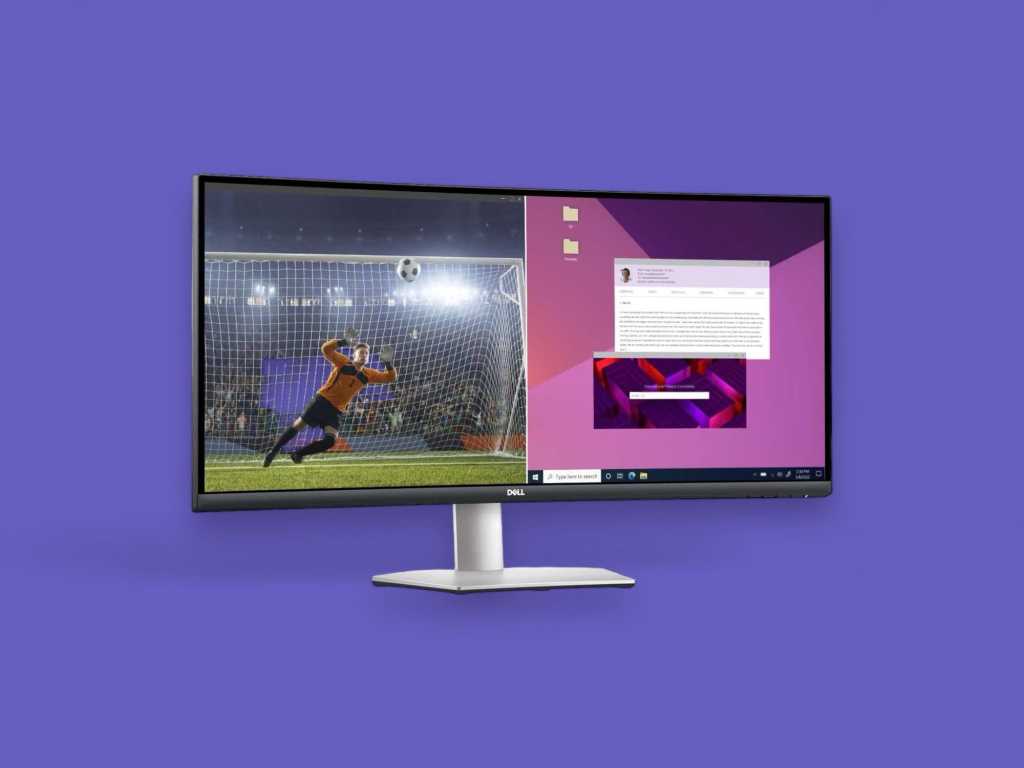
 Dell 34″ WQHD Curved USB-C Monitor (S3423DWC)
Dell 34″ Curved Monitor features WQHD, USB-C connectivity with 65W power delivery, built-in speakers, low blue light, and a 3-year warranty for optimal comfort and productivity.
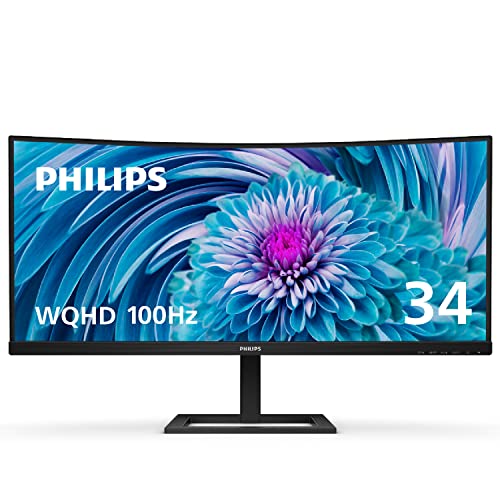 Philips 34″ Curved Frameless QHD Monitor (346E2CUAE)
Philips 34″ curved monitor offers UltraWide QHD, stunning 121.3% sRGB color, 1ms response, and 100Hz refresh rate for exceptional gaming and expansive workspace.
 LG 34″ UltraWide Full HD IPS Monitor (34WQ650-W)
LG 34″ UltraWide Monitor features FHD IPS display, 99% sRGB, VESA DisplayHDR 400, USB-C, and AMD FreeSync for immersive, high-fidelity visual and gaming performance.
Subscribe to hear about new gadgets!
Join today and make informed decisions with honest gadget reviews and handpicked recommendations.
Related: Computer
The Breakdown
- Stunning widescreen display enhances productivity and entertainment
- High color accuracy and contrast ratio make for a superior viewing experience
- USB-C connectivity with power delivery simplifies the workspace
- Built-in speakers and eye comfort features add to its value
- The price might be a stretch for budget-conscious buyers
- While great for work and casual gaming, hardcore gamers might seek faster refresh rates
Design That Speaks
First impressions matter, and Dell knows it! The Dell 34″ WQHD monitor comes dressed to impress with its sleek, platinum silver finish that complements any desk decor. The design is modern and minimalistic, featuring a micro-texture pattern that doesn’t just look good; it feels good. The 3-sided ultrathin bezel is hardly noticeable, enhancing your visual field and making it perfect for multi-monitor setups.
Color Me Impressed
Dell wasn’t playing around when they packed this monitor with features. The standout is its ultrawide WQHD (3440 x 1440) resolution. Coupled with a curved 1800R screen, it wraps your visual field in cinematic quality. The Vertical Alignment (VA) display technology provides a staggering 3000:1 contrast ratio. This brings out lush, vivid colors with 99% sRGB coverage—this screen is a feast for the eyes!
But that’s not all! Imagine a workday without clutter. This monitor’s single-cable USB-C setup, which supports 65W power delivery, transforms a tangled mess into a streamlined workstation. Audio? Check. Built-in dual 5W speakers deliver sound that’s as crisp as your visuals.
Does It Hold Up?
Now, let’s talk turkey. Does the Dell 34″ monitor perform as well as it promises? Absolutely. The color accuracy is spot-on, which will delight creatives and casual users alike. The response time and refresh rate are optimized for everyday use and light gaming—no lag detected here!
The built-in Comfort View Plus feature is a real eye-saver, reducing harmful blue light without sacrificing color quality. Long hours in front of the screen just got a lot less daunting.
Living with the Curve
Using the Dell 34″ monitor is a dream. It’s like having a personal IMAX for work and play. Productivity increases as you effortlessly manage multiple windows with no need to alt-tab constantly. For gamers and movie buffs, the immersive experience is noticeably enhanced by the curvature. It’s like being surrounded by the action!
Navigating the on-screen display with the joystick control is intuitive, making adjustments a breeze. Whether you’re adjusting brightness or switching modes, it’s all at your fingertips.
Bang for Your Buck
Considering the features and design, the Dell 34″ WQHD monitor offers significant value for its price. It’s an investment that will pay off for professionals and tech lovers who spend ample time at a screen. The three-year warranty and Dell’s Premium Panel Exchange service are cherries on top, ensuring peace of mind with your purchase.
The Competition
- Exceptional color accuracy and vibrancy
- Expansive, immersive display
- USB-C connectivity simplifies your setup
- Strong gaming performance
- Limited ergonomic adjustments (tilt-only stand)
- Some users might find the 34-inch size too large for small desks
- Premium price point
The Philips 34″ Curved Frameless QHD Monitor (346E2CUAE) offers a visually expansive UltraWide Quad HD display and 1500R curvature. This enhances both productivity and the gaming experiences by providing a wide, immersive view. Featuring USB-C connectivity, it simplifies workspace setup while supporting power delivery and data transfer. Its Ultra Wide-Color technology and up to 121.3% sRGB color gamut ensure stunning visual fidelity, ideal for color-critical applications. With a 100Hz refresh rate and 1ms response time, it promises smooth, artifact-free gaming. This monitor represents a substantial investment in versatile, high-performance technology that elevates both professional and personal computing environments.
- Expansive, immersive display
- Excellent color accuracy and HDR support
- Versatile connectivity options, including USB-C
- Affordable for an UltraWide monitor
- Full HD resolution may feel stretched on a 34-inch screen, lacking sharpness
- Stand adjustments are limited to tilt, lacking height or swivel options
- Built-in speakers are a bit weak for serious audio enthusiasts
The LG 34″ UltraWide Full HD IPS Monitor (34WQ650-W) delivers expansive visual real estate. With its 2560 x 1080 resolution and 21:9 aspect ratio, it’s ideal for multitasking and immersive entertainment. Featuring sRGB 99% color gamut and VESA DisplayHDR 400, it offers vibrant colors suitable for both professional and personal use. USB Type-C connectivity simplifies wiring, while AMD FreeSync and 1ms MBR enhance gaming with smooth, artifact-free performance. Despite its modest resolution over the large screen and basic stand, the monitor’s affordability and feature set provide significant value. Especially for users seeking a broader, richer viewing experience.
The Final Verdict
So, should you buy the Dell 34″ WQHD Curved USB-C Monitor? If you value stellar display quality, comprehensive features, and a sleek design, then absolutely. It’s a versatile monitor that stands out in the crowded market of flat screens. Whether for work, gaming, or watching your favorite shows, the Dell 34″ will not just meet but exceed your expectations. Ready to curve your enthusiasm? This monitor might just be your next big desk buddy!
In wrapping up, the Dell 34″ WQHD Curved Monitor is more than just a pretty face. It’s a robust, feature-packed powerhouse that promises to transform your viewing experience and boost productivity. Don’t just take my word for it—try it out and see the curve in action!
The FAQ
-
What is the resolution of the Dell 34″ WQHD Curved Monitor?
The Dell 34″ Curved Monitor features a Wide Quad High Definition (WQHD) resolution of 3440 x 1440 pixels, providing sharp and detailed visuals.
-
What type of screen does the monitor have?
The monitor uses Vertical Alignment (VA) display technology which offers a high contrast ratio and robust color accuracy, making it ideal for a variety of visual tasks.
-
Can the Dell 34″ monitor be connected via USB-C?
Yes, this monitor includes a USB-C port that supports video, audio, and data transmission, as well as up to 65W power delivery for charging compatible devices like laptops.
-
Does this monitor have built-in speakers?
Yes, the Dell 34″ Curved Monitor includes dual 5W speakers for a clear and powerful audio experience, suitable for both media consumption and casual listening.
-
Is the monitor adjustable?
The monitor offers tilt functionality for ergonomic comfort but does not include height adjustment or pivot capabilities.
-
What is the curvature of the monitor?
The monitor has an 1800R curvature, which enhances the immersive viewing experience by extending the field of vision and reducing eye strain during extended use.
-
What are the color capabilities of the Dell 34″ monitor?
It covers 99% of the sRGB color spectrum, making it an excellent choice for tasks that require color accuracy such as photo editing and graphic design.
-
What eye comfort features are available?
Dell’s Comfort View Plus is an always-on, built-in feature that minimizes blue light emissions to reduce eye strain without impacting color quality, suitable for long periods of use.
-
Can this monitor be used for gaming?
While it’s primarily designed for professional and productivity use, its wide screen, decent response time, and immersive curve also make it suitable for casual gaming. However, hardcore gamers might prefer monitors with higher refresh rates and faster response times.
-
What is included in the warranty for the Dell 34″ monitor?
The monitor comes with a 3-Year Advanced Exchange Service and Premium Panel Exchange, allowing for a monitor replacement if even one bright pixel is found during the warranty period.
Subscribe to hear about new gadgets!
Join today and make informed decisions with honest gadget reviews and handpicked recommendations.
