

By The Tech Guy
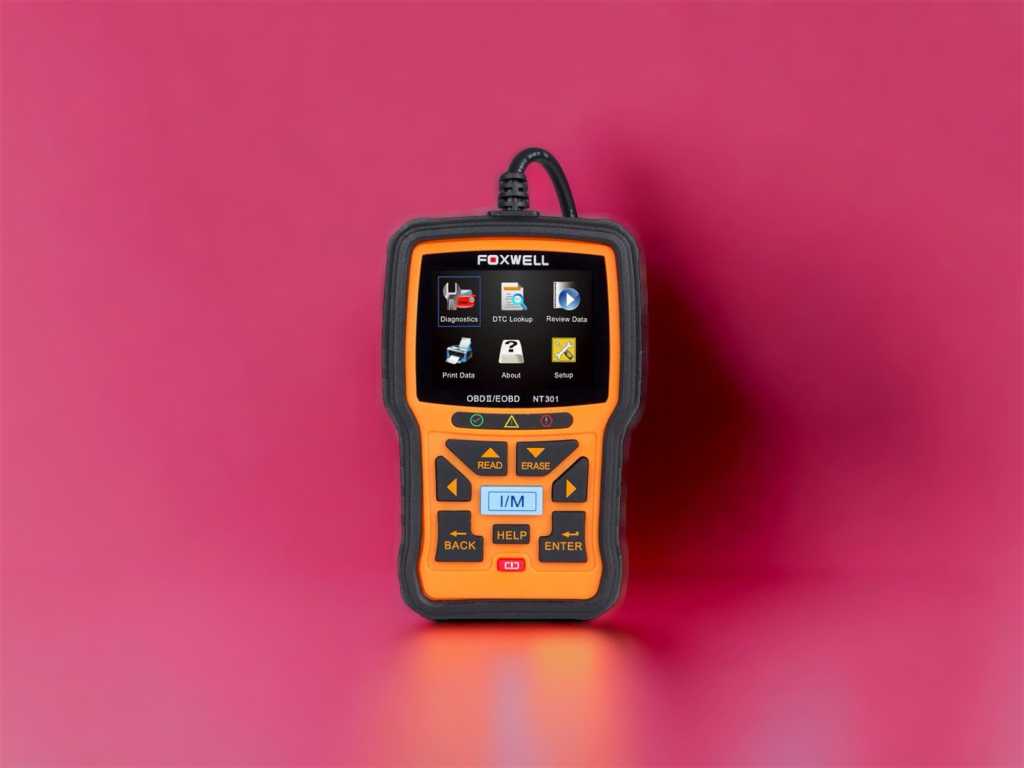
Hey, car enthusiasts and DIY mechanics! Ready to empower your automotive diagnostics? Let’s take a thrilling test drive with the FOXWELL NT301 OBD2 Scanner. This review is your ultimate guide to discovering how this gadget can elevate your vehicle maintenance.
The Recommendations
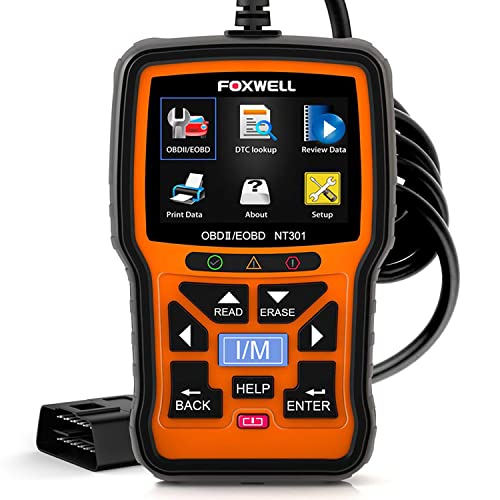 FOXWELL NT301 OBD2 Car Scanner
The FOXWELL NT301 OBD2 Scanner offers precise diagnostics, emissions readiness, and lifetime updates; a must-have for mechanics and home garages alike.
 FOXWELL NT604 Elite OBD2 Scanner
FOXWELL NT604 Elite, 2024 version, diagnoses common car systems without extra software. Features AUTOVIN, supports 60+ car makes, and includes a solid protective case.
 ANCEL AD310 OBD II Scanner
ANCEL AD310 OBD II Scanner: Highly recommended by experts, robust, and user-friendly. Supports all OBDII protocols, and quickly diagnoses engine lights.
Subscribe to hear about new gadgets!
Join today and make informed decisions with honest gadget reviews and handpicked recommendations.
The Breakdown
- Sturdy, ergonomic design makes it easy to use in any environment
- Extensive features offer a depth of diagnostics beyond basic models
- Fast performance and accurate readings save time and hassle
- User-friendly interface with a sharp display enhances the experience
- No Bluetooth connectivity; relies on a direct cable connection
- Software updates are required via PC, which might not be convenient for everyone
Built Tough for Tough Jobs
The FOXWELL NT301 strikes an impressive figure right from the get-go. Clad in a robust, rubberized body, this scanner is designed to withstand the rigors of a garage environment. It’s compact, easy to handle, and sports a large, vivid color screen that stands out with crystal clear resolution. The thoughtful, anti-slip grip ensures it won’t slide out of your hands during crucial checks.
A Diagnostic Dynamo
The NT301 is jam-packed with features designed to simplify your car care routine:
- Comprehensive OBD2 Functionality: It reads and clears error codes, checks emission readiness, and supports multiple code requests.
- Live Data Streaming: Get real-time updates to monitor your vehicle’s health effectively.
- Data Playback: Review data logs to diagnose intermittent driving issues.
- VIN Retrieval: Automatically captures and displays the VIN, which is helpful for keeping track of your diagnostics.
More Than Meets the Eye
When it comes to quality, FOXWELL doesn’t just talk the talk. The NT301 is made with durable materials that feel solid and reliable. The connectors are sturdy, ensuring a secure link to your vehicle’s data port. It’s evident that this tool is built to last, designed for both amateur and professional use.
The real test of any OBD2 scanner is its performance. The NT301 impresses with its swift setup and faster diagnostics. Connection to the car’s OBD system is almost instantaneous, with data streaming smoothly and without lag. The device scans through the system comprehensively, making sure no fault goes unnoticed.
Diagnostic Delight
The user interface of the NT301 is a real winner. It’s incredibly intuitive, making it accessible even for those who aren’t tech-savvy. The menu is straightforward, with clearly labeled functions that make navigation a breeze. Plus, the color display isn’t just for show; it makes reading and interpreting diagnostic data easier on the eyes.
Worth Your Coin?
Priced competitively, the FOXWELL NT301 offers excellent value for anyone looking to invest in a reliable diagnostic tool. It’s cost-effective, considering the breadth of functionalities and the potential savings on mechanic’s fees. For those dedicated to understanding and maintaining their vehicle, this scanner is a wise and worthwhile investment.
The Competition
- Ease of Use: Truly plug-and-play with an intuitive interface
- Build Quality: Durable and comes with a protective case
- Versatility: Extensive vehicle make compatibility and multi-system diagnostics
- No Additional Costs: Comes fully equipped without hidden fees for updates or extra software
- Data Limitations: Cannot clear data related to airbag collisions even with repairs
- Learning Curve: Beginners might find the breadth of data overwhelming at first
The FOXWELL NT604 Elite OBD2 Scanner is an invaluable tool for both professional mechanics and car enthusiasts, offering advanced diagnostics for essential car systems like ABS, SRS, engine, and transmission. Its user-friendly, plug-and-play design requires no prior setup, featuring a solid protective case for durability. The scanner supports over 60 car makes globally and includes an AUTOVIN feature for quick vehicle identification. With capabilities such as real-time data streaming and a comprehensive built-in DTC library, the NT604 Elite is a cost-effective solution that enhances vehicle maintenance efficiency, significantly reducing the need for expensive dealership diagnostics.
- User-Friendly: Intuitive interface, easy to operate even for beginners
- Comprehensive Compatibility: Works with a broad array of vehicles and supports all OBDII protocols
- Portable and Durable: Compact, sturdy design with a protective casing
- Accurate and Fast: Provides quick, reliable readings and diagnoses
- Basic Functions: Primarily focused on engine diagnostics; lacks features for other car systems like ABS or airbags
- No Advanced Diagnostics: May not satisfy those needing more comprehensive vehicle diagnostics
The ANCEL AD310 OBD II Scanner is a robust, user-friendly tool perfect for quick and efficient vehicle diagnostics. Recommended by experts like Scotty Kilmer, it excels in identifying causes of engine warnings and supports all OBDII protocols, ensuring broad compatibility with vehicles from 1996 onwards across various regions. It provides real-time data, reads and clears trouble codes, and accesses vehicle information effortlessly. Lightweight and compact, it’s easily portable. Although it focuses on engine diagnostics without advanced features for other systems, its affordability and reliability make it an excellent value for both novice and seasoned car owners.
The Final Verdict
The FOXWELL NT301 OBD2 Scanner is more than just a tool; it’s your partner in the garage. With its robust design, comprehensive features, and user-friendly operation, it stands out as a top contender in its class. Whether you’re troubleshooting a check engine light or prepping for an emissions test, the NT301 equips you with the knowledge and confidence to tackle it head-on.
If you’re ready to take charge of your vehicle’s diagnostics, the FOXWELL NT301 is a choice you won’t regret. Get ready to turn your driveway into your own personal auto shop – happy scanning!
The FAQ
-
What vehicles is the FOXWELL NT301 compatible with?
The FOXWELL NT301 is compatible with most gasoline-powered vehicles manufactured from 1996 and newer that are OBD2 compliant. This includes American, European, and Asian cars.
-
Can the FOXWELL NT301 clear the check engine light?
Yes, the FOXWELL NT301 can read and clear trouble codes which, if resolved, will turn off the check engine light.
-
Does this scanner need batteries to operate?
No, the FOXWELL NT301 does not require batteries. It draws power directly from the vehicle’s OBD2 data link connector when it is plugged in.
-
Is the FOXWELL NT301 capable of reading ABS or SRS codes?
No, the FOXWELL NT301 is designed to diagnose engine-related faults and does not read ABS or SRS system codes.
-
Can the NT301 perform a smog check?
Yes, the NT301 can perform a check on the emission system, which helps in preparing for a smog test by reading the status of emission-related systems and readiness monitors.
-
How do I update the software on the FOXWELL NT301?
Updates for the FOXWELL NT301 are available through the Foxwell official website. You’ll need to connect the scanner to a PC with an internet connection and use the provided USB cable to download and install updates.
-
What does live data streaming mean?
Live data streaming allows the NT301 to display real-time PID data from various sensors and systems in either graph, gauge, or digital format, which helps in advanced troubleshooting.
-
Can I print diagnostic data from the NT301?
Yes, the NT301 has the functionality to print diagnostic data by connecting it to a PC and using the print function within the tool’s software.
-
How do I use the FOXWELL NT301 to check for diagnostic trouble codes (DTCs)?
Simply plug the NT301 into your vehicle’s OBD2 port, turn on the ignition, and follow the on-screen prompts to access the diagnostic menu. Select “Read Codes” to view any stored or pending codes.
-
Is there technical support available for the FOXWELL NT301?
Yes, FOXWELL offers technical support for the NT301 via email and phone. They also provide a user manual and frequently updated FAQs on their official website here.
Subscribe to hear about new gadgets!
Join today and make informed decisions with honest gadget reviews and handpicked recommendations.
