


By The Tech Guy
In video production, finding the perfect shot often seems like an epic quest, complete with shaky footage and framing issues. The Pivo Pod with Auto Face Tracking, offers a solution for vloggers, educators, and content creators everywhere. Let’s explore this gadget in detail to see if it delivers on its promise.
The Recommendations
 Pivo Pod Classic Auto Tracking Phone Holder
Pivo Pod Classic enhances video creation with AI-powered 360° auto tracking, seamless app integration, and advanced editing for dynamic, engaging content.
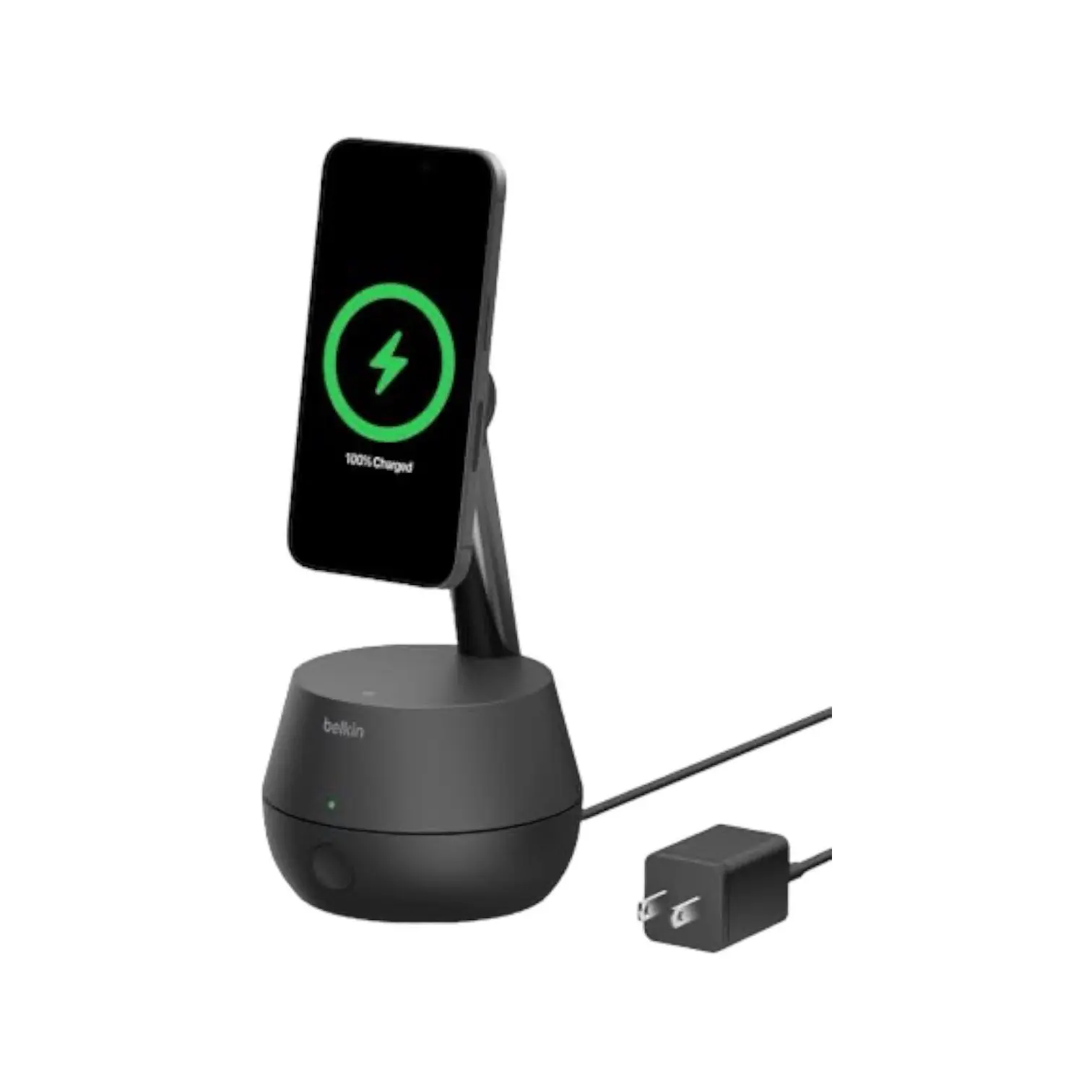 Belkin Auto Face Tracking Stand Pro & DockKit
Belkin Stand Pro offers 360° tracking, MagSafe charging, seamless iOS integration, and motorized tilt for an immersive, interactive video experience.
 Auto Face Tracking Tripod with Phone Mount
The Auto Face Tracking Tripod offers AI-powered, app-free operation with 360-degree rotation, gesture controls, and universal smartphone compatibility.
Subscribe to hear about new gadgets!
Join today and make informed decisions with honest gadget reviews and handpicked recommendations.
The Breakdown
- Exceptional Auto Face Tracking: Keeps you in the frame, so you’re free to move as you please
- User-Friendly: Both the device and the app are accessible for users of all skill levels
- Versatility: Offers a plethora of modes and features for different types of content
- Portability: Compact and lightweight, making it ideal for on-the-go creators
- Low-Light Performance: Struggles somewhat in poorly lit environments
- Battery Life: While adequate for most uses, intensive use might require a mid-day charge
The Arrival of the Pivo Pod
From the moment the Pivo Pod arrived, it was clear this was no ordinary phone holder. With a sleek design that begged to be touched, the Pivo Pod made a strong first impression. The device itself, compact and lightweight, promised portability without sacrificing on style. Its aesthetic – a smooth blend of functionality and elegance – whispers sweet nothings to tech enthusiasts and style mavens alike.
Features That Make You Go “Wow”
The Pivo Pod is not shy about its features. Auto face tracking is the star of the show, allowing the device to follow your every move. But that’s not all. The Pivo Pod comes packed with a variety of modes for every creator’s needs. From Panorama and Smart Capture to many fun interactive modes, it’s like a Swiss Army knife for your phone.
Does It Walk the Walk?
Upon testing, the Pivo Pod’s build quality felt superior, withstanding the rigors of daily use without breaking a sweat. Its performance, however, is where it truly shines. The auto face tracking is impressively responsive, keeping up with even the most erratic of movements. Whether you’re delivering a dynamic presentation or chasing your toddler around the room, the Pivo Pod remains faithfully focused.
During my tests, I experimented with different environments and lighting conditions. The Pivo Pod’s tracking remained accurate in well-lit rooms but did face some challenges in low-light scenarios. That’s not uncommon for devices reliant on visual cues. However, its overall performance left little room for complaint, making it a reliable companion for content creation.
As Friendly as It Gets
Setting up the Pivo Pod was a breeze. Within minutes , I had my phone mounted and the Pivo app installed – a straightforward process that’s super user-friendly. The app itself has a treasure trove of features. The intuitive controls and a clean interface make navigating through its many options feel like second nature.
Is It Worth Your Coin?
Considering its price point, the Pivo Pod with Auto Face Tracking offers substantial bang for your buck. It’s a tool that can elevate the quality of your content, whether you’re a seasoned pro or just getting started. With its features, ease of use, and solid performance, it’s not just a purchase, but an investment in creative potential.
The Competition

- Seamless integration and ease of use with iOS devices
- Effective tracking that enhances video interaction quality
- Dual functionality as a phone stand and charger
- Quiet operation with smooth movements, thanks to the high-quality stepper motors
- Limited to iOS users, which might not appeal to Android enthusiasts
- The price point may be steep for those who don’t frequently utilize video communication
The Belkin Auto Face Tracking Stand Pro is an innovative tool designed for an enhanced video communication experience. With auto-tracking capabilities, it keeps users perfectly in frame during dynamic activities, ideal for vlogs, live streams, and video calls. Its motorized tilt adjusts the viewing angle seamlessly, while built-in MagSafe compatibility offers convenient charging and sturdy phone support. Easy integration with iOS devices enhances its usability, requiring no additional apps. Its rechargeable batteries provide flexibility for mobile use. This stand is a valuable investment for tech enthusiasts looking to elevate their video interaction quality and convenience.
- Ease of Use: Very user-friendly. It’s practically plug-and-play, minus the plug
- Portability: Light enough to throw in a backpack, and durable enough to handle outdoor adventures
- Universal Compatibility: Fits almost any smartphone, which is a relief for non-iPhone users
- Limited Customization: While the AI tracking works well, there’s no way to adjust sensitivity settings or tracking speed
- Gesture Recognition Learning Curve: It takes a bit of practice to get the gestures right, and sometimes the tripod doesn’t recognize them on the first try
The Auto Face Tracking Tripod with Phone Mount revolutionizes solo video production with its AI-powered 360-degree tracking. It eliminates the need for manual camera adjustments. This tripod simplifies recording with smart gesture controls and compatibility across a range of smartphones without additional apps or Bluetooth. Its portable design, combined with a sturdy build and a versatile connector, offers significant flexibility for various filming conditions. This device is ideal for anyone looking for an efficient, user-friendly solution to enhance video quality and engagement.
The Final Verdict
After testing the Pivo Pod, it’s clear that it stands out in content creation tools. It masterfully combines design, functionality, and performance in an easy and enjoyable package. Suitable for both experienced vloggers and beginners, the Pivo Pod enhances production flexibility.
It’s more than just a tool; it’s a companion for your creative endeavors, adept at capturing dynamic, engaging content. In your search for the perfect shot, the Pivo Pod proves to be an indispensable ally.
The FAQ
-
How does the face tracking feature work?
The face tracking feature uses sophisticated software algorithms to detect and follow the user’s face. Once activated, the Pivo Pod automatically rotates to keep the user centered in the frame as they move around. This ensures stable and focused video without manual adjustment.
-
Is the Pivo Pod compatible with all smartphones?
The Pivo Pod is designed to be universally compatible with most smartphones. It features an adjustable grip that securely holds various phone sizes. However, for optimal performance, it’s recommended to check device compatibility on the Pivo Pod’s specifications to ensure it fits your smartphone dimensions and operating system.
-
Can the Pivo Pod be used for both photography and videography?
Yes, the Pivo Pod is versatile and can be used for both photography and videography. Its auto-tracking feature is beneficial for creating smooth, professional-looking pans in videos and for keeping the subject in frame for dynamic photography shots.
-
How do I set up the Pivo Pod?
Setting up the Pivo Pod is straightforward:
1. Mount your smartphone onto the Pivo Pod’s holder.
2. Download and install the Pivo Pod app from your phone’s app store.
3. Connect your smartphone to the Pivo Pod via Bluetooth following the app’s instructions.
4. Use the app to control the Pivo Pod’s movements and to access various shooting modes and features.
-
Does the Pivo Pod require a power source?
Yes, the Pivo Pod is powered by a rechargeable battery. It comes with a USB charging cable that you can plug into any standard USB charger. The battery life varies depending on usage, but it can last for hours of continuous operation on a full charge.
-
What are some key features of the Pivo Pod app?
The Pivo Pod app offers a range of features to enhance your content creation, including:
– Multiple tracking modes (face, body, action, and more)
– Creative modes for panoramic shots, timelapses, and motion time-lapses
– Various filters and effects to add a creative touch to your videos and photos
– Remote control functionality for hands-free operation
-
Can the Pivo Pod track more than one person?
The standard auto-tracking feature is designed to track a single person. However, certain modes within the Pivo Pod app may offer functionality suited for multiple subjects, depending on the app’s current version and the specific mode being used.
-
How does the Pivo Pod perform in low-light conditions?
The Pivo Pod’s tracking accuracy can be affected by low-light conditions, as its ability to detect and follow the subject relies on visible cues. For optimal performance, it’s recommended to use the Pivo Pod in well-lit environments.
-
Is the Pivo Pod mount adjustable for different shooting angles?
Yes, the Pivo Pod features an adjustable mount that allows you to tilt your smartphone to various angles, providing flexibility for different shooting perspectives. However, the primary function of the Pivo Pod is to rotate 360 degrees horizontally for auto-tracking.
-
What’s included in the box with the Pivo Pod?
The standard package for the Pivo Pod typically includes:
– The Pivo Pod device
– A USB charging cable
– A quick start guide
– Depending on the package, it may also include additional accessories such as a remote control, carrying case, or tripod.
-
Is there a warranty for the Pivo Pod?
Yes, the Pivo Pod comes with a 1-year limited warranty that covers defects in materials and workmanship. The specific terms may vary, so it’s advisable to review warranty provided by the manufacturer or contact their customer service for detailed information.
Subscribe to hear about new gadgets!
Join today and make informed decisions with honest gadget reviews and handpicked recommendations.
